Exness Margin Calculator: Formula, Lot and Pip Examples (2026)
How Exness calculates margin, with the formula and checked examples for EURUSD, gold and cent accounts. Plus lot size and pip value calculators, and where to find the tool.
This site contains affiliate links. We may earn a commission if you sign up through our links. How we research
Short answer: Exness calculates margin as lots x contract size / leverage (for example 1 lot of EURUSD at 1:100 needs 1,000 EUR of margin, converted to your account currency); for fixed-margin instruments such as exotic pairs, crypto, stocks and indices it is lots x contract size x the required margin. The Exness trading calculator is a free tool in your Personal Area (PA) that works out margin, spread cost, commission, swap and pip value for an order before you place it. You open it from the Tools & Services menu (the drop-down with the ? icon) or in the Exness Trade app, then pick the account type, account currency, instrument, trading volume and leverage. It is a margin calculator and a leverage calculator in one. The same numbers can be checked by hand with the formulas below.
Disclosure: OnForex earns a referral commission if you open an Exness account through our links.
The tool facts come from the Exness Help Center articles Trading calculator (updated August 18, 2026), Margin (updated October 26, 2026), Common trading terms, Trading volume calculation, About swap, Commodities and Standard Cent account, checked on November 12, 2026; we reread the Margin, Trading calculator and Trading volume calculation articles on November 20, 2026 and their update dates matched the ones cited here. We did not open the calculator ourselves for every instrument. The prices, spreads and swap rates in our examples are invented to show the method, not Exness quotes.
See the calculator for your account type
The calculator sits in your Personal Area and uses your account type, currency and leverage. A demo account lets you practise with it. Forex and CFD trading carries a high risk of loss.
Continue to ExnessForex and CFD trading involves significant risk. You may lose your invested capital.
What does the Exness trading calculator show?
Exness says the calculator works out an order's trading conditions from actual market data. It returns six results:
| Result | What it means (Exness Help Center) |
|---|---|
| Margin | Funds reserved to keep the order open, in your account currency |
| Spread cost | Amount paid to open the order, based on the average spread of the previous trading day |
| Commission | Charged on Raw Spread and Zero accounts when an order is opened |
| Swap short | Interest on sell orders left open overnight |
| Swap long | Interest on buy orders left open overnight |
| Pip value | Money won or lost if the price moves one pip |
The inputs are your account type, account currency, instrument, trading volume and leverage. Exness notes that the results can differ from live conditions because of currency conversions and spread differences, and that the real spread cost is known only when a real order is opened. Treat the output as a planning estimate, not a quote.
How does Exness calculate margin when trading?
Margin is a deposit held while an order is open, not a fee, and it is returned when the order closes unless losses use it up (Margin, updated October 26, 2026). Exness gives two formulas, depending on the instrument. Use this as an Exness margin calculation formula you can check by hand.
Dynamic margin (most forex pairs and some metals): Margin = lots x contract size / leverage, in the base currency, then converted to your account currency. Exness's own example: 2 lots of EURUSD at 1:2000 gives 2 x 100,000 / 2000 = 100 EUR.
Fixed margin (for example exotic pairs, crypto, stocks, indices and XAUUSD247): Margin = lots x contract size x required margin. Leverage does not change it, which is why the calculator disables the leverage field for these instruments (Why does the trading calculator sometimes disable leverage?).
Worked example, 1 lot of EURUSD (100,000 EUR) at an invented price of 1.0800, USD account:
| Leverage | Calculation | Margin |
|---|---|---|
| 1:100 | 100,000 / 100 = 1,000 EUR x 1.0800 | 1,080 USD |
| 1:200 | 100,000 / 200 = 500 EUR x 1.0800 | 540 USD |
| 1:500 | 100,000 / 500 = 200 EUR x 1.0800 | 216 USD |
Dynamic margin also moves. Exness lists three cases where the leverage, and so the margin, can change: when your account equity changes, around important economic news, and from 3 hours before to 1 hour after weekend or holiday market closures. A calculator result is a snapshot of that moment.
Exness leverage calculator: how leverage enters the formula
There is no separate leverage tool. In the calculator, leverage is just one input to the margin formula above: higher leverage means less margin for the same position, lower leverage means more. It does not change the pip value or the profit and loss of the position. A 1 pip move on 1 lot of EURUSD is worth the same 10 USD at any leverage.
That is why leverage is not "free buying power". With the example above, 1:100 holds 1,080 USD of margin and 1:500 holds 216 USD, yet a 50 pip move still costs 500 USD on 1 lot either way. Use leverage to see how much margin a position needs, and size the position from the loss you accept, not from the margin left over. Maximum leverage depends on account equity and the Exness entity serving you; see our Exness leverage rules and the general margin guide.
Exness lot calculator (by hand): find the lot size from your risk
Exness defines trading volume as number of lots x contract size, always in the base currency (for example 3 lots of EURUSD is 300,000 EUR) (Trading volume calculation). The results the Help Center lists for the trading calculator do not include a lot size, but you can work it out by hand with the pip value below:
Lots = amount you accept to lose / (stop-loss in pips x pip value per lot)
| Example (invented risk amounts) | Calculation | Lot size |
|---|---|---|
| EURUSD, risk 20 USD, stop-loss 25 pips, pip value 10 USD per lot | 20 / (25 x 10) | 0.08 lot |
| XAUUSD, risk 50 USD, stop-loss a 5 USD move (500 pips), pip value 1 USD per lot | 50 / (500 x 1) | 0.10 lot |
Check: 0.08 lot x 25 pips x 10 USD = 20 USD, and 0.10 lot (10 oz) x 5 USD = 50 USD. Round down to the lot step your account allows, and add spread and possible slippage to the stop distance, because the loss on a stopped trade can be larger than planned.
Exness pip calculator: pip value formula and examples
Exness defines pip value as Number of lots x contract size x pip size. The pip size is 0.0001 for most pairs, 0.01 for JPY pairs and 0.01 for XAUUSD (the Exness Commodities page lists a pip size of 0.01 and a contract size of 100 troy ounces).
| Instrument, 1 lot | Calculation | Pip value |
|---|---|---|
| EURUSD | 1 x 100,000 x 0.0001 | 10 USD per pip |
| XAUUSD | 1 x 100 x 0.01 | 1 USD per pip |
| EURUSD, 0.10 lot | 0.10 x 100,000 x 0.0001 | 1 USD per pip |
For pairs where the quote currency is not your account currency, the calculator converts the result into your account currency, so the figure moves with the exchange rate. For more on lots and position sizing, see our pip value guide and lot size guide.
Spread cost, commission and swap by hand
Spread cost = spread in pips x pip value x lots. Exness's own spread example (About spread) is a bid of 1.11113 and an ask of 1.11125, which is 0.00012 or 1.2 pips.
Commission applies only to Raw Spread and Zero accounts. Exness states the values are per lot, per side, so an order that opens and closes pays twice. Raw Spread is up to 3.50 USD per lot per side; for XAUUSD the Commodities page lists 3.50 USD (Raw Spread) and 5.50 USD (Zero).
Swap is an overnight charge or credit applied at 21:00 GMT+0 in summer and 22:00 GMT+0 in winter. Exness calculates it in pips, and forex carries a triple swap on Wednesday (USDCAD on Thursday). The actual rates are shown in the calculator and change with interest rates, so the rate below is invented.
Worked comparison, 1 lot, all spreads and the swap rate invented:
| EURUSD, spread-only account | EURUSD, Raw Spread account | XAUUSD, spread-only account | |
|---|---|---|---|
| Spread | 1.2 pips | 0.1 pip | 0.20 USD (20 pips) |
| Pip value | 10 USD | 10 USD | 1 USD |
| Spread cost | 1.2 x 10 = 12.00 USD | 0.1 x 10 = 1.00 USD | 20 x 1 = 20.00 USD |
| Commission, open and close | 0 | 3.50 x 2 = 7.00 USD | 0 |
| Cost to open and close | 12.00 USD | 8.00 USD | 20.00 USD |
Swap example with an invented long swap of -0.8 pips on EURUSD: 0.8 x 10 USD x 1 lot = 8.00 USD charged per night, and 3 x 8.00 = 24.00 USD on the Wednesday triple-swap night. Swap-free accounts do not charge it; see our swap guide and the spread explainer.
Spreads widen with volatility and news, and the calculator uses the previous day's average, so real costs can be higher. Delays and slippage can also occur.
Gold (XAUUSD) calculator example
One lot of XAUUSD is 100 troy ounces. At an invented price of 4,000 USD per ounce, 1 lot has a notional value of 100 x 4,000 = 400,000 USD.
| Item | Calculation | Result |
|---|---|---|
| Pip value | 1 x 100 x 0.01 | 1 USD per pip |
| Value of a 1 USD price move | 100 oz x 1 USD | 100 USD (100 pips) |
| Margin at 1:100 | 100 x 4,000 / 100 | 4,000 USD |
| Margin at 1:200 | 100 x 4,000 / 200 | 2,000 USD |
| XAUUSD247 fixed margin (1:200, 0.5%) | 1 x 100 x 4,000 x 0.005 | 2,000 USD |
For the dynamic XAUUSD symbol, the margin formula uses the price to turn ounces into dollars; this conversion is our arithmetic, so check the number the calculator shows. Exness also lists higher margin requirements for XAUUSD in certain periods (1:200 to 1:1000), and says margin requirements for some instruments are moving from fixed to dynamic. For gold costs by account type see Exness gold trading.
Exness cent account calculator
In a Standard Cent account the balance is in cents (a 5 USD deposit shows as 500 USC) and the lot unit is the cent lot. Exness defines 1 cent lot as 100,000 cents, or 1,000 USD, which equals 0.01 standard lot. Symbols carry the -c suffix, such as EURUSDc. Choose the Standard Cent account type in the calculator, because the results change with it.
Worked example, EURUSDc at an invented 1.0800, 1:200 leverage, 5 USD (500 USC) deposited:
| Volume | Margin calculation | Margin | Pip value |
|---|---|---|---|
| 1 cent lot | 1 x 100,000 / 200 x 1.0800 | 540 USC (5.40 USD) | 10 USC (0.10 USD) |
| 0.10 cent lot | 0.10 x 100,000 / 200 x 1.0800 | 54 USC (0.54 USD) | 1 USC (0.01 USD) |
One cent lot would need 540 USC, more than the 500 USC in this account, so the calculator is useful to see that before you try. The 0.10 cent lot needs 54 USC. The pip values match the standard account scaled by 0.01. For account details see the Standard Cent guide.
Where to find the calculator, step by step
- Log in to your Personal Area on the Exness website.
- Open the Tools & Services menu, the top-right drop-down with the ? icon.
- Select the trading calculator and choose your account type, account currency and instrument.
- Enter the trading volume and leverage. Leverage is greyed out for fixed-margin instruments.
- Read margin, spread cost, commission, swap and pip value, then compare with your stop-loss and your free margin.
Exness Terminal also has an order form that converts your risk, stop loss and take profit into a lot size; see our Exness web terminal guide. Margin level and stop out depend on your account type, covered in the stop out guide.
Common questions
Is there an Exness leverage calculator?
There is no separate leverage tool. The trading calculator has a leverage field that feeds the margin formula, and it is disabled for fixed-margin instruments.
Is the Exness margin calculator accurate?
It uses actual market data but Exness warns results can differ from live conditions because of currency conversion and spread differences. Margin can also change with equity, news and market closures.
Does the calculator work for the Exness cent account?
Pick the Standard Cent account type and use the -c symbols. The results are in cent currency, such as USC.
Can I trust the examples on this page?
The formulas come from the Exness Help Center. The prices, spreads and swap rate in the examples are invented, so run your own numbers in the calculator.
Check the conditions on your account
Margin, commission and swap depend on your account type and the entity serving you. Registration shows what is offered in your country. Forex and CFD trading carries a high risk of loss.
Check the account conditionsForex and CFD trading involves significant risk. You may lose your invested capital.
Forex and CFD trading carries a high risk of loss. A calculator estimates costs; it does not predict outcomes or guarantee profits.
Further reading
Related Articles
Forex Lot Size 2026: What a Lot Is and How to Calculate It
Forex lot size explained. Standard, mini, and micro lots defined. Position size calculation formula with examples. Includes Exness calculator guide.
Position Sizing in Forex: How to Calculate the Right Lot Size
Learn how to calculate position size in forex trading: risk-per-trade formulas, lot size calculators, Kelly criterion, and practical examples for any account size.
What Is a Pip in Forex? Pip Value Calculator & Examples
Pip definition explained from scratch. How to calculate pip value for major, minor, and exotic pairs. Practical examples with EUR/USD, USD/JPY, GBP/JPY, and more.
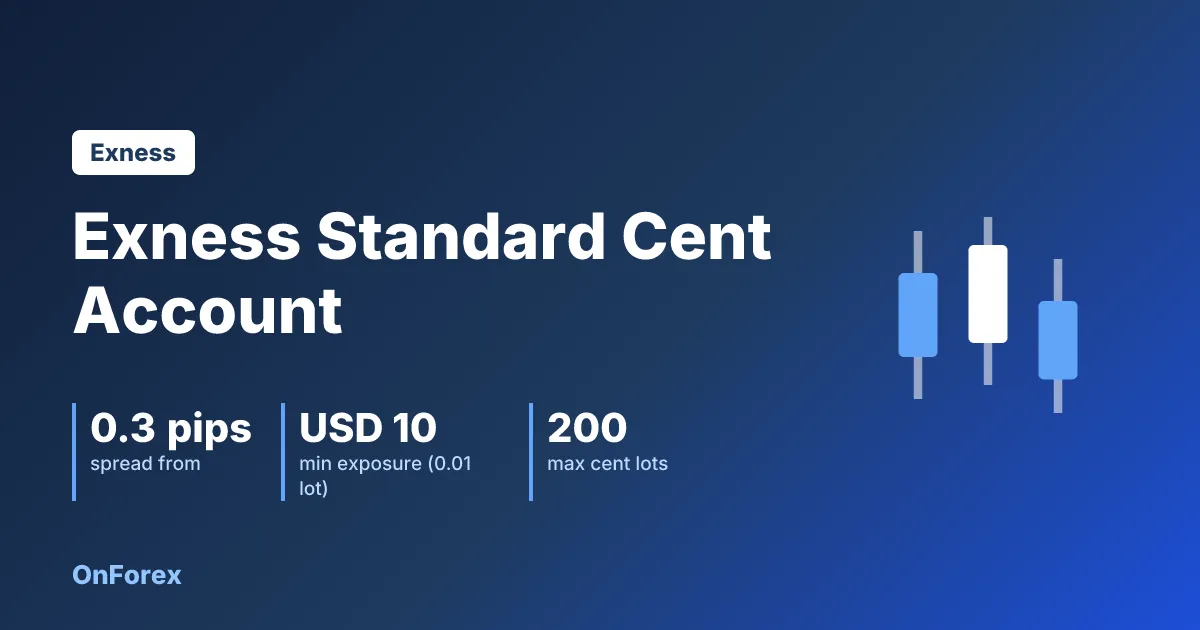
Exness Cent Account (Standard Cent): USC, Lots, Deposit
Exness cent account (Standard Cent): what USC means, 1 cent lot = 0.01 standard lot, spread from 0.3 pips, no commission, low first deposit, no demo.
Exness Gold Trading (XAUUSD): Lot Size, Spread, Hours (2026)
Exness gold trading on XAUUSD: contract size, lot sizes, margin example, spread and commission by account type, hours in UTC and overnight fee. Checked Nov 21, 2026.
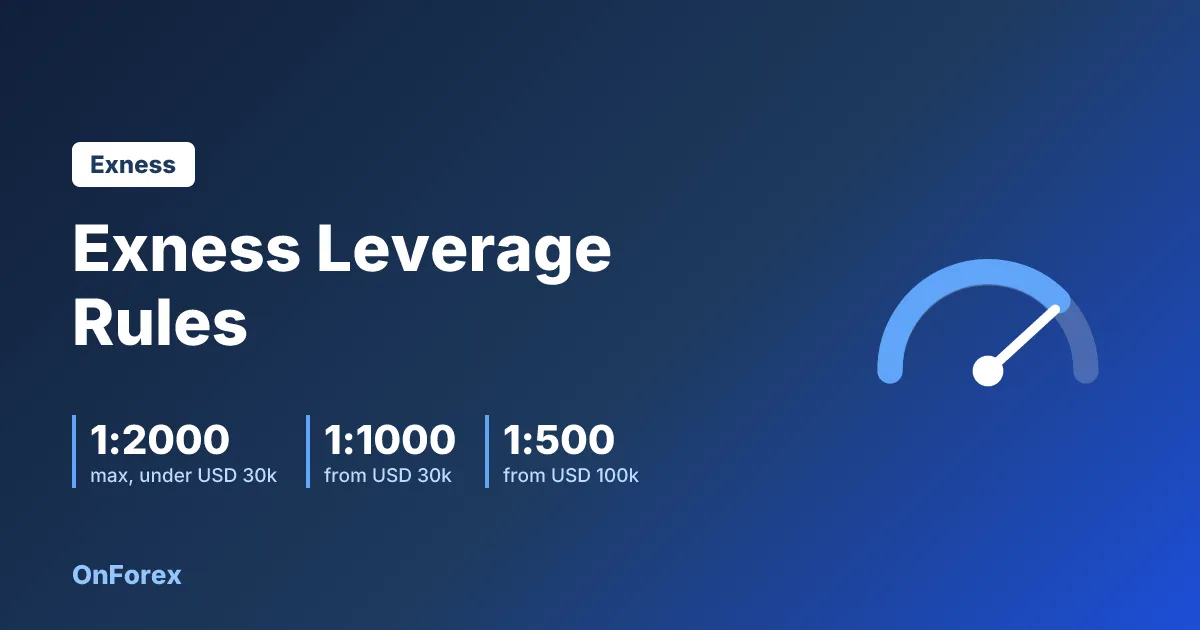
Exness Leverage Rules 2026: Maximum by Equity, Limits and Stop Out
Exness leverage rules: the maximum depends on account equity (1:2000 by default, lower from USD 30,000), when limits are reduced, margin call and stop out levels, and the risks.